Case study I: Extract data from an airtable
Published Feb 6, 2024
Last edited Mar 31, 2026

This case study outlines how we helped Alice extracting 500 rows of data from a protected public table. This process outlines an example where a simple custom automation can save you manually walking through all the rows. Of course, you can do this if it’s a one time thing, but it can take you hours.
To give it a twist, we’ll show a simple custom automation that can do this for thousands of rows. The key aspect of this task is that we can perform it in fewer steps, and if possible with some level of automation. A robust here is an overkill, so let’s get started.
The problem#
The table shared has copy/paste disabled, this is typically done purposefully to add a layer of protection to a set of data. In addition, the data happens to be obfuscated because the table is rendered dynamically rendered. This means that only the set of rows that are visible to the eye exist in the DOM tree (HTML code) at a given point in time.
It’s easy to check this behavior by scrolling very fast, you will notice there are fractions of a second where the table appears blank, even if you already scrolled past those items.
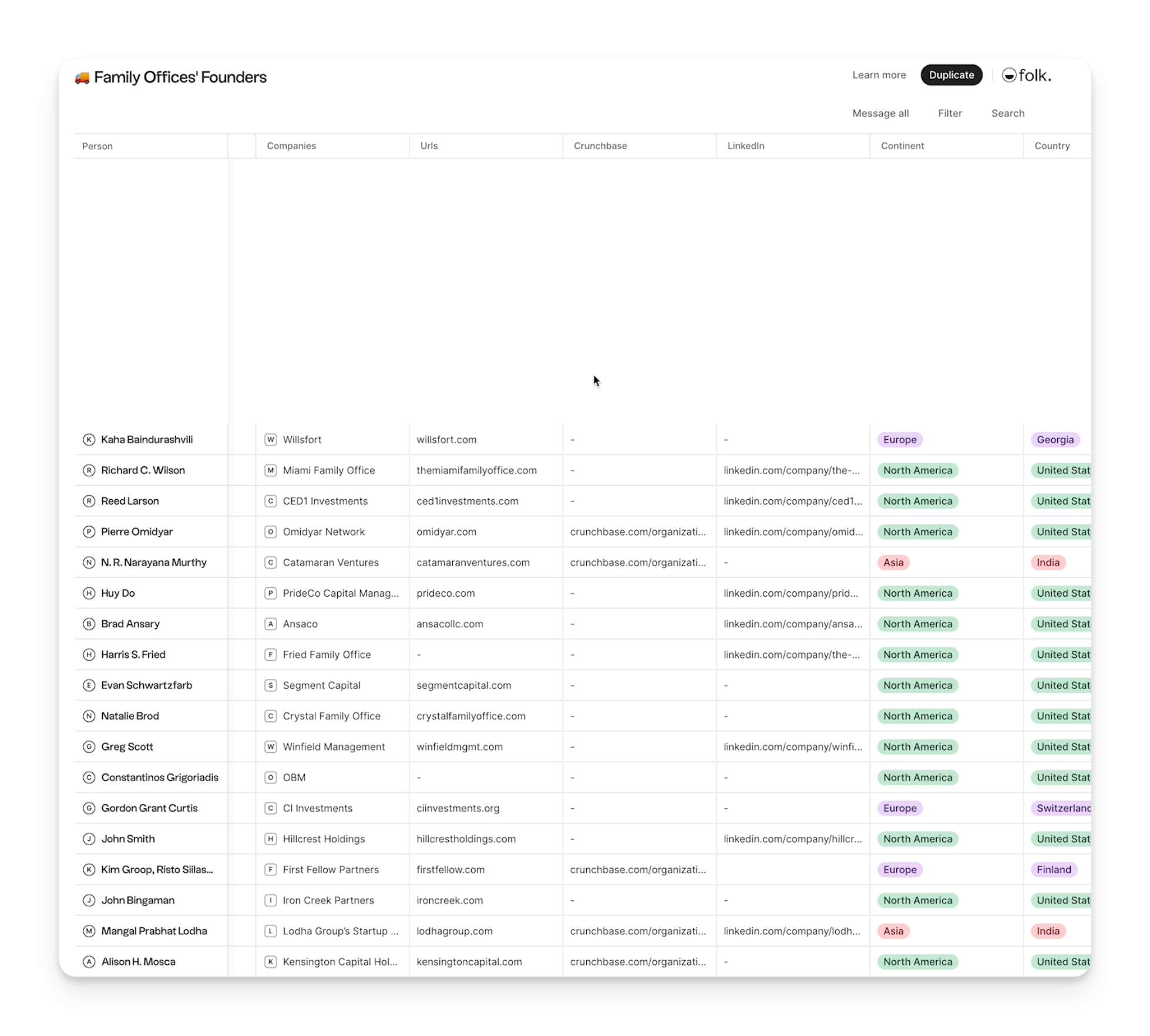
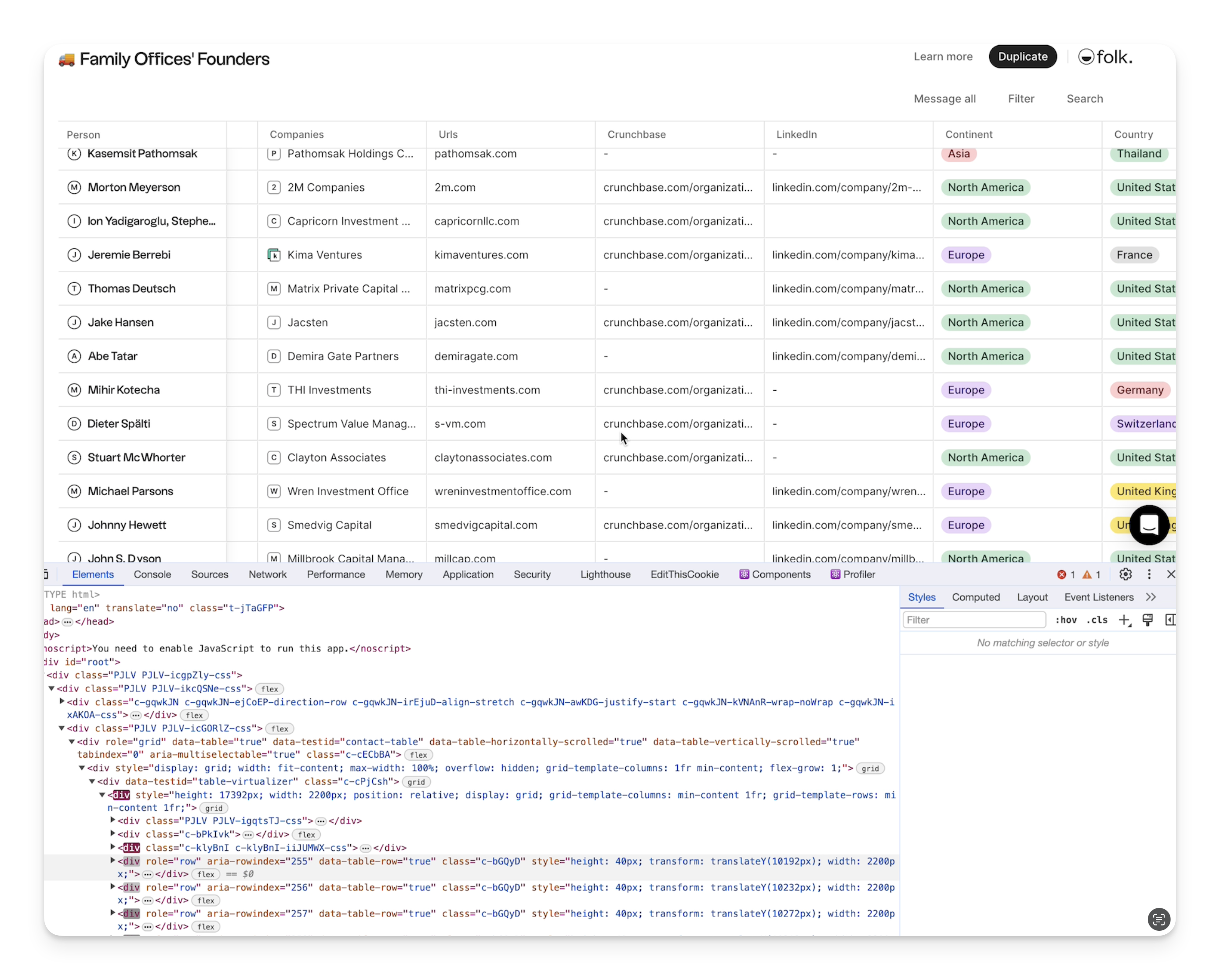
You can also check this by opening the Developer Tools and looking how the value aria-rowindex changes, rendering new rows where there where old ones
The solution#
💡 > This process might not be simple if you don’t have experience in Javascript and Web development.
The way to work around this is typing some Javascript in the console, and programatically extracting the data – also known as web scraping –. Since this is a one time job, let’s just write some lines of code, and get the data we came looking for.
- Open the Developer Console
⌘ + ⌥ + I - Open the Console tab
- Copy and paste this code. This defines the variables that will contain all of our items.
let rows = [];
let values = [];- Copy and paste this code into the Console To get the first column Person
rows = rows.concat(Array.from(document.querySelectorAll('.c-klyBnI.c-klyBnI-iiJUMWX-css > div')).map(child => ({
    index: parseInt(child.getAttribute('aria-rowindex'))
    Person: child.textContent,
})))
To get the rest of the values
values = values.concat(Array.from(document.querySelectorAll('.c-klyBnI.c-klyBnI-iiJUMWX-css div')).map(child => ({
    Emails: child.textContent,
    Companies: child.textContent,
    Urls: child.textContent,
    Crunchbase: child.textContent,
    LinkedIn: child.textContent,
    Continent: child.textContent,
    Country: child.textContent,
    Status: child.textContent,
    Addressses: child.textContent,
- Scroll down to the next batch of rows, and repeat step 4 until you get to the end of the table.
- Execute the following in the console to copy the value and export it:
copy(rows), for the rows, andcopy(values), for the values.
💡 > TIP: If you zoom out using
⌘ + MINUS, more rows will be rendered, and you will be able to capture more rows.
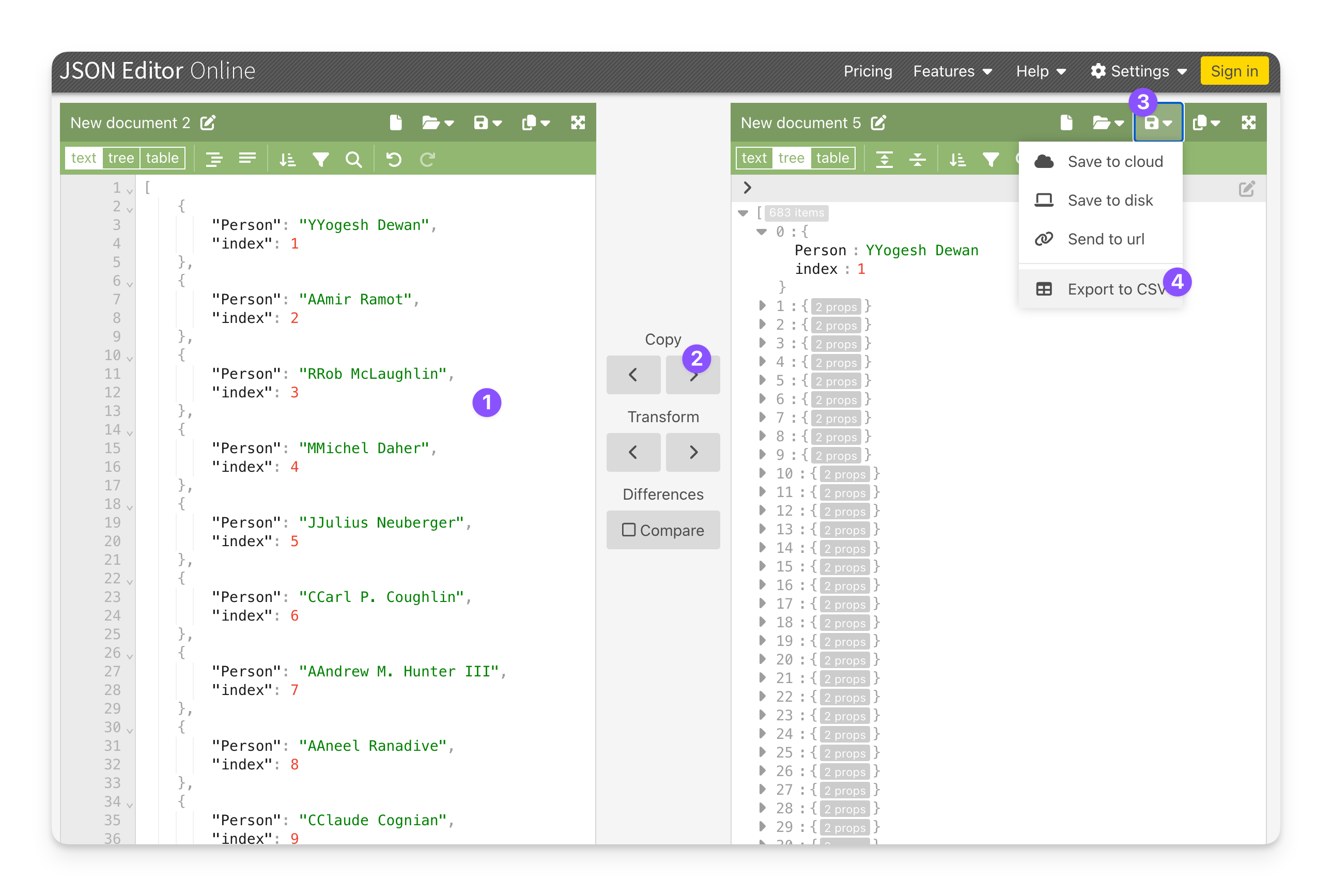
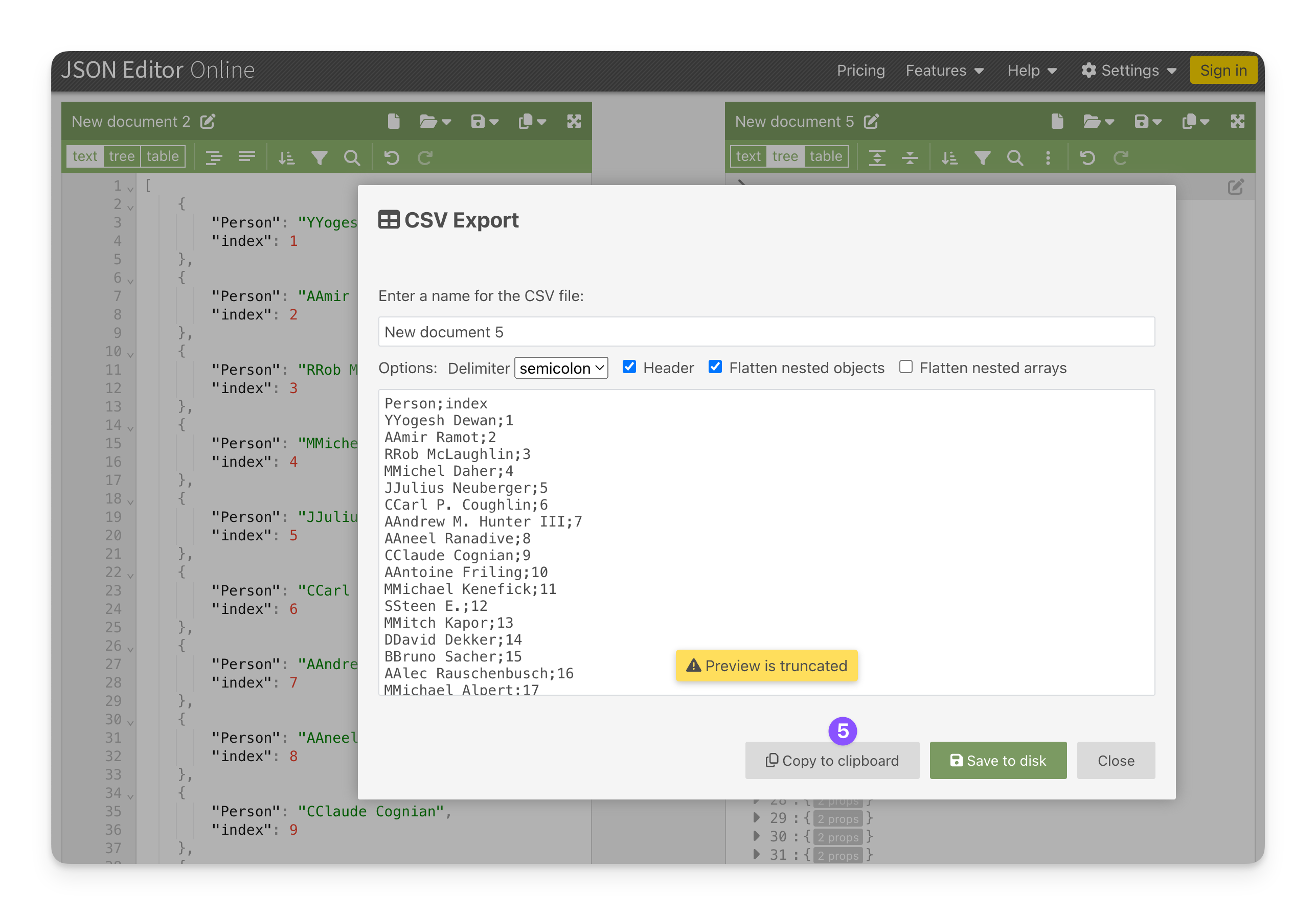
At the end of this process you will have two variables in your console: rows and values . These contain the two sets of items you need to export. Use a tool like jsoneditoronline.org to export them to CSV and copy paste into Google Sheets.
- Paste the copied value in the left side
- Parse the structure by copy pasting to the right side
- Click on Save
- Click on Export to CSV
- Click on Copy to clipboard
- Paste in your Google Sheet
An automated approach#
Imagine we would have to do this for 10000 rows. If that was a one time thing, the process above would work, but would start getting even more daunting.
let scrollJump = 5000
let scrollJumps = [...Array(10).keys()].map(x => (x + 1) * scrollJump)
let vals = [];
Conclusion#
This process is cumbersome and involves a series of steps. The example we covered is also tailored towards the sheet that we required here, so there might also be adjustments to the CSS selectors we used.
This document does not cover some of the basic knowledge you need in Web Development, that would make this task as straight forward as can be, but provides guidance on how to achieve this, and can serve as a structure for future examples.