Redirect your focus
Published Apr 16, 2026
Last edited Apr 18, 2026
This is the way to get shit done on addictive (web) apps that you still need for work.
The problem
Social networks are designed for you to scroll, grab your attention quick, and get you scrolling. This is how it works, let's use Linkedin as an example:
- Open Linkedin because you remember you had to send some messages
- Oh, an interesting useless post! let's see if the next one is interesting… you think
- 30' later you've saved 5 posts1 30 links and are far away from typing out the messages you came here to send out
- 1h later you're (hopefully) back in the Linkedin messages section finally getting things done. What happens is you never have time to get back to those 5 posts you saved in step 3. With your point of entry being the feed, you’re more inclined to go for the dopamine hit, than you are for the task you opened the browser for.
The problem here is reading through Linkedin or X may be part of your job. Being up to date with news in the industry, messaging candidates, etc. So you may be able to uninstall some for your mental health, but not all.
So, how do you break this loop, and get your shit done?
The solution
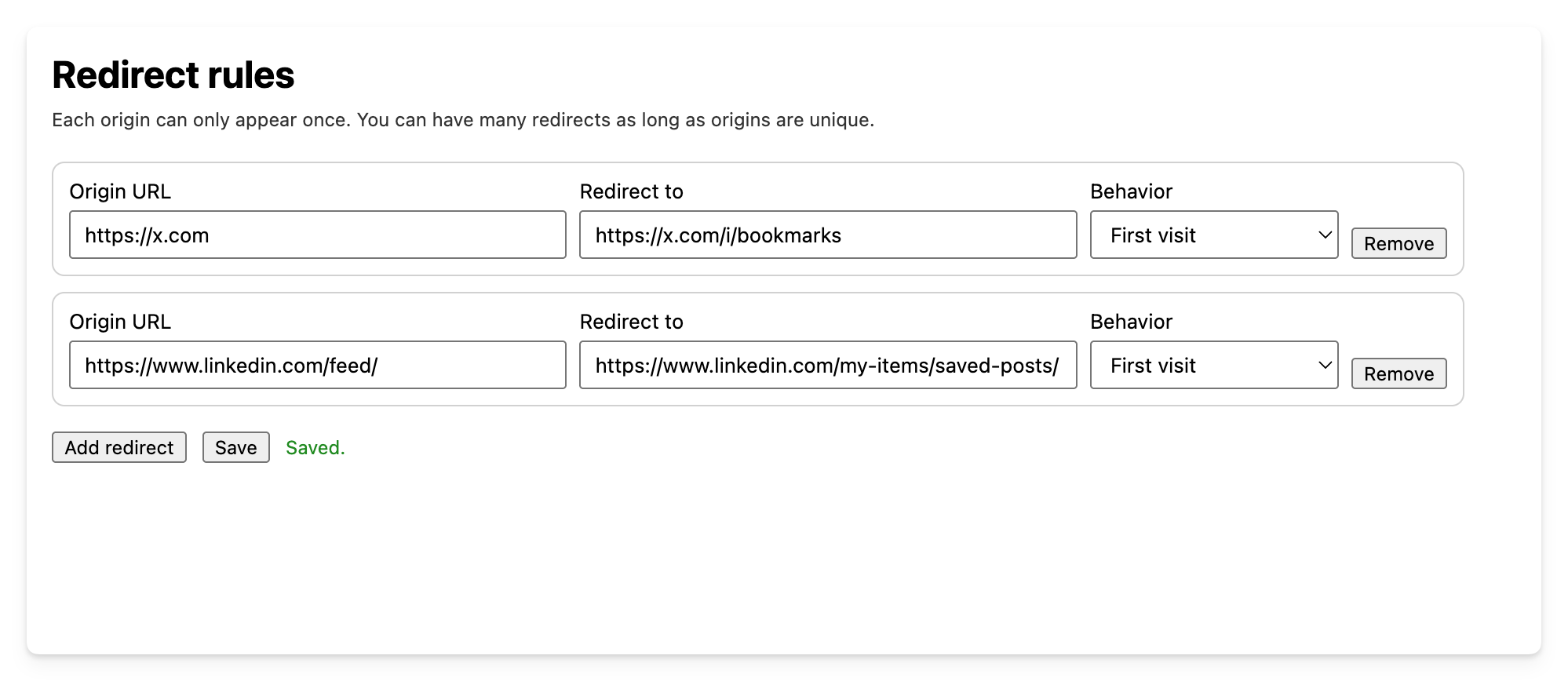
Redirect your focus: change the entry point to the web apps that are part of your work, but constantly distract you. Let's see 2 examples
A) If you are in recruiting, and end up scrolling through linkedin when you really need to be in your message inbox, you want linkedin dot com to take you directly there. B) If you are in development, and need to check out the recent posts in X of products, launches, or news, you want x dot com to take you to bookmarks directly2.
Redirect your focus (chrome extension)
Footnotes
Footnotes#
-
Note how your brain tricks you into thinking you don't have time to get into too much detail in a post or researching a topic, but still you seem to have enough to scroll through the feed for 30 min ↑
-
What if I really want to my feed? I got you covered, just click and navigate to it. The important thing is for the feed not to steal your attention first thing. ↑